









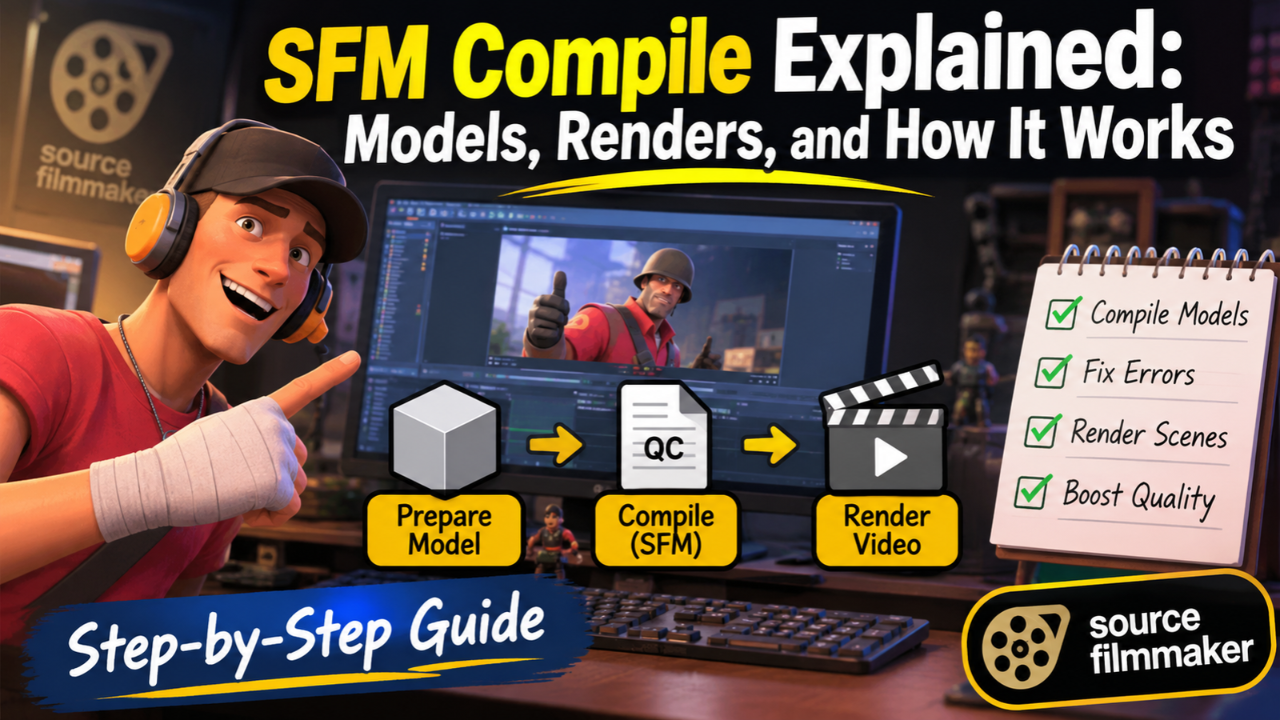
SFM compile is an important step for creators who want to bring custom 3D models into Source Filmmaker. Whether you’re making animated characters, cinematic scenes, or short films, understanding this process can save hours of frustration.
Source Filmmaker gives you a virtual movie studio. You can build scenes, animate characters, adjust lighting, and create videos using assets from supported Source engine games. However, custom models often need preparation before they work correctly.
This guide explains how SFM compile works, which tools you need, and how to prepare models for animation. It also covers rendering, common errors, and practical ways to improve your results.
Table of Contents
What Does SFM Compile Mean?
SFM compile usually refers to converting custom 3D model files into a format that Source Filmmaker can load. This process uses model compilation to organize geometry, materials, skeletons, and animations into compatible game assets.
A typical workflow begins with a model created in Blender or another 3D program. The creator exports source files, prepares a QC script, and runs Valve’s model compiler. The resulting files can then be loaded into Source Filmmaker.
However, compiling a model isn’t the same as rendering a video. Compilation prepares the asset for use inside SFM. Rendering creates the final images or animation.
What Files Does an SFM Model Compile Need?
A successful SFM model compile depends on several files working together. Source models commonly use SMD or DMX files to describe geometry, skeletons, and animations. A QC file tells the compiler how to combine those pieces.
The compiler then creates a collection of engine-ready files. These include an MDL file for model information, VVD files for vertex data, and VTX files for mesh information. A PHY file may also appear when the model includes collision data.
| File | Purpose |
|---|---|
| SMD or DMX | Stores model or animation source data |
| QC | Gives the compiler instructions |
| MDL | Contains compiled model information |
| VVD | Stores vertex data |
| VTX | Stores mesh data used for rendering |
| PHY | Contains collision information when needed |
These files work as a team. Mixing files from different compilations can cause errors because the model data may no longer match.
How a QC File Controls the SFM Compile Process
A QC file acts like an instruction sheet for the compiler. It tells StudioMDL where the model belongs, which source files to read, and how to handle materials and animations.
For example, $modelname defines the compiled model’s name and location. $body or $model identifies geometry, while $cdmaterials points toward material folders. Animation commands such as $sequence describe how animation data should be included.
QC files are plain text, but their commands must follow the correct syntax. A missing quotation mark or incorrect path can stop the entire compilation. Even a small mistake can send the compiler searching for files that don’t exist.
Best Tools for SFM Compile: StudioMDL, Crowbar, and Blender
Three tools commonly appear in the SFM compile workflow. Blender helps create and prepare the model. StudioMDL is Valve’s compiler, while Crowbar provides a graphical interface that makes compilation easier.
Blender is useful for editing geometry, building skeletons, and preparing animations. Crowbar helps creators select source files, configure compiler settings, and read errors without relying entirely on command-line instructions.
StudioMDL performs the actual compilation. Crowbar doesn’t replace it. Instead, Crowbar helps communicate with the compiler and manage the process.
How to Organize SFM Compile Files and Folder Paths
File organization matters because the compiler needs to find every source asset. A model may look perfect in Blender yet fail during compilation because its QC file points toward the wrong folder.
A practical folder structure separates source files, compiled models, and materials. Keep the QC file close to its SMD or DMX files. Store the finished model under the appropriate SFM game directory, with materials placed in matching folders.
For example, a model named robot should have consistent names across its QC instructions, source files, and material references. Consistency makes troubleshooting much easier.
How to Fix Missing Textures and Broken Materials After SFM Compile
A model can compile successfully and still display missing textures. This usually means the geometry works, but SFM cannot locate the required material files.
Source materials commonly use VMT files to describe surface properties and VTF files to store texture images. The QC file’s $cdmaterials command helps the model locate its material directory.
When a model appears purple and black, check the material paths first. Make sure the material names match the files exactly. Also confirm that the materials sit inside the correct game folder.
How to Test an SFM Model Before Using It in a Scene
Testing a compiled model before building a full animation can prevent wasted effort. Load it into Source Filmmaker and inspect its appearance, scale, materials, and movement.
A simple test scene works well. Place the model in an empty environment, add basic lighting, and check whether its surfaces display correctly. If it has a skeleton, test its movement before creating detailed animation.
Pay attention to missing textures, strange proportions, broken joints, and animation glitches. These problems are easier to fix before the model becomes part of a complex scene.
SFM Compile for Custom Characters, Props, and Animations
Different assets need different preparation. A static prop may only require geometry and materials. A character usually needs a skeleton, suitable weights, and animation data.
Characters often require more testing because their bones control how the mesh moves. Poor weight painting can cause shoulders, elbows, or knees to deform incorrectly. Facial animation may also require extra preparation when the model uses flexes.
Props can be simpler, but they still need correct scale and material paths. Preparing each asset according to its purpose helps the Source Filmmaker compile process run more smoothly.
How to Improve SFM Render Quality Without Wasting Time
Rendering turns an animated scene into finished images or video. Before exporting, check your camera, lighting, frame rate, and output resolution. Small adjustments can improve the final result considerably.
A useful approach is to render a short test first. This lets you inspect shadows, reflections, motion blur, and image quality before committing to a long export.
Image sequences can be helpful because each frame saves separately. If the export stops unexpectedly, the completed frames may still be available. You can then assemble them into a video using editing software.
SFM Compile vs. Source 2 Filmmaker: Important Differences
The original Source Filmmaker uses Valve’s Source engine and its model compilation workflow. Source 2 Filmmaker uses a different engine and asset pipeline, so its tools and file formats aren’t interchangeable.
The original SFM commonly uses QC files and StudioMDL. Source 2 uses its own content tools and asset compilation process. A model prepared for one version won’t automatically work in the other.
This distinction matters when following tutorials. Always check which version a guide covers before downloading tools or changing your model files.
Conclusion
SFM compile is the process of preparing custom models for use inside Source Filmmaker. It connects source files, QC instructions, materials, and Valve’s compiler into one practical workflow.
The most important lesson is to separate compilation from rendering. Compilation prepares the model. Rendering creates the final image or video.
Start with a simple model, keep your files organized, and test each asset before building a detailed scene. With practice, the process becomes easier and more predictable.
Frequently Asked Questions
1. What does SFM compile mean?
SFM compile usually means converting custom model source files into assets that Source Filmmaker can load. It typically involves SMD or DMX files, a QC script, and StudioMDL.
2. Which tools are needed for SFM compile?
The main tools are a 3D modeling program, compatible source-file exporters, and Valve’s StudioMDL compiler. Crowbar can simplify the process by providing a graphical interface.
3. Can Blender models be compiled for SFM?
Yes. Blender models can be prepared and exported into compatible Source formats, such as SMD or DMX. The model still needs correct materials, skeletons, and QC instructions.
4. Why does my compiled SFM model have missing textures?
Missing textures usually indicate incorrect material paths or missing VMT and VTF files. Check the material directory and confirm that the names match the model’s references.
5. Is SFM compile the same as rendering?
No. Compilation prepares a model for use inside Source Filmmaker. Rendering turns a completed scene into images or video.