








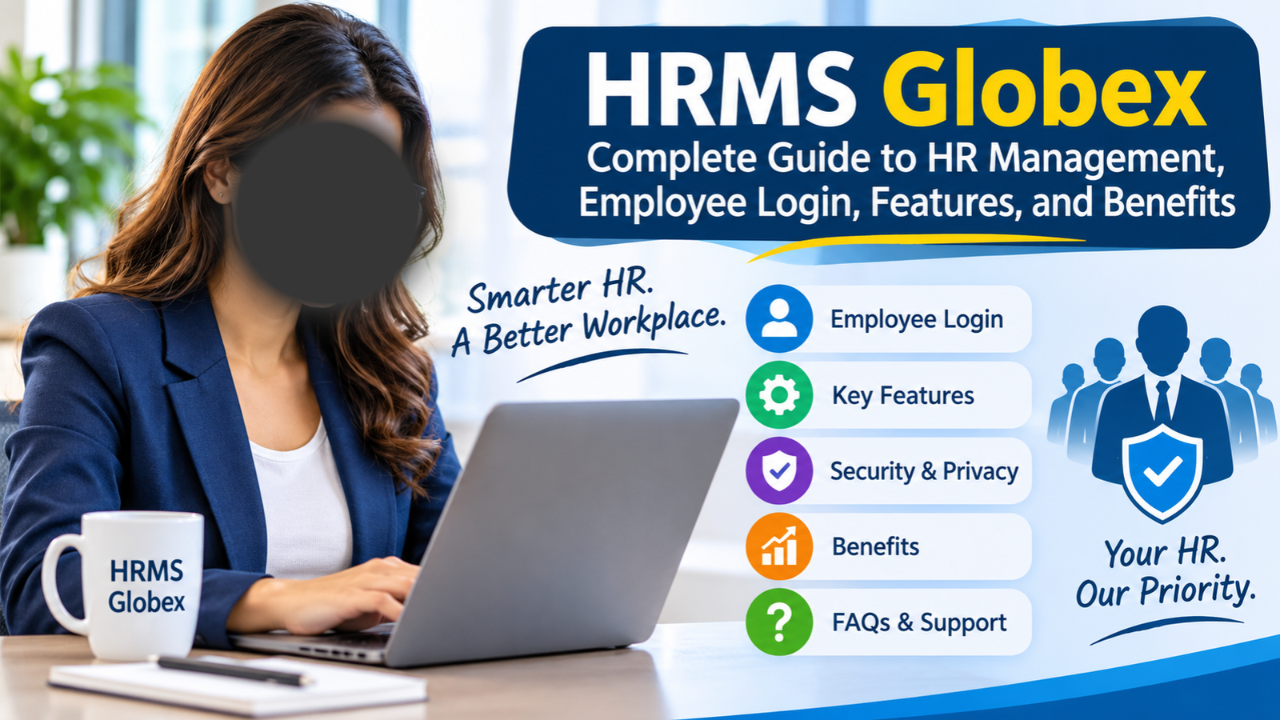
Digital workplace tools have changed how companies manage employees, documents, and daily responsibilities. From accessing employment records to reviewing performance, modern HR systems bring essential information closer to employees. HR management software also helps businesses organize tasks that once required endless paperwork.
However, understanding an unfamiliar employee portal requires more than knowing its name. Employees need to recognize legitimate websites, understand available services, and protect their personal information. This guide explores ten important areas surrounding the Globex portal, including its documented functionality and practical considerations for American workplaces.
Table of Contents
HRMS Globex Official Website: What Employees Should Know
Finding the correct employee portal is the first step toward accessing workplace information. The publicly accessible Globex login page is hosted at hrms.theglobex.com. Its visible interface requests a username, password, and CAPTCHA verification. Employees should confirm this address with their employer before entering confidential credentials.
The portal’s existence doesn’t automatically establish every claim published about its services. Its public login screen provides limited information about the organization operating it or the complete services available. Therefore, employees should distinguish between verified portal information and general HR software capabilities. This simple precaution prevents confusion and reduces exposure to fraudulent websites.
Identifying the Publicly Accessible Globex Portal
The login address uses HTTPS and presents an employee authentication interface. However, a secure connection alone doesn’t guarantee complete website safety. Confirm the domain through an official workplace communication or your HR department. Never trust unfamiliar links simply because they display a familiar company name.
Understanding the Difference Between an HRMS Portal and Commercial HR Software
An employee portal provides access to organization-specific services. Commercial human resource management systems usually offer broader tools for recruitment, payroll, reporting, and employee administration. These categories overlap, but they aren’t interchangeable. Always verify which services your employer actually provides.
HRMS Globex Employee Dashboard: Understanding Available Sections
An employee dashboard usually serves as the central point for workplace information. Depending on account permissions, it may display personal details, employment documents, review activities, and administrative notices. However, the publicly accessible Globex page doesn’t reveal its complete dashboard. Available sections must therefore be confirmed after authorized access.
This distinction matters because employees sometimes expect identical menus across every account. In reality, permissions can differ between ordinary employees, supervisors, department heads, and administrators. A well-organized employee self-service portal displays relevant information without exposing confidential records to unauthorized users. Employees should contact HR when expected sections remain unavailable.
Employee Dashboard and Account Permissions
Account permissions determine which information someone can view or change. An employee might access personal records while a manager receives additional review responsibilities. Administrators may handle broader workforce information. These restrictions support workforce data security and help organizations maintain clear responsibility across departments.
Finding Performance Reviews and Employee Documents
Performance-related documents deserve particular attention. Historical Globex documentation describes appraisal activities and employee review procedures.
HRMS Globex Performance Management and Appraisal Process
Employee evaluations help organizations understand performance, identify development needs, and establish professional goals. A documented Globex performance-management guide describes appraisal activities connected with an employee review cycle. It references self-review procedures, reporting responsibilities, and appraisal letters. This provides stronger evidence of specific functionality than unsupported feature descriptions.
The historical documentation also emphasizes confidentiality. Appraisal letters may contain sensitive information about performance, compensation decisions, or professional development. Employees should handle these records carefully and follow organizational instructions.
Employee Self-Assessment and Manager Reviews
Self-assessments allow employees to explain their achievements, responsibilities, and challenges. Managers can then compare those comments with workplace objectives and documented results. This process encourages employee performance tracking and creates opportunities for meaningful discussion. Clear examples generally make reviews more useful than vague personal opinions.
Appraisal Letters and Review Acceptance
An appraisal letter communicates an organization’s formal review outcome. Employees should read its contents carefully and follow the required acceptance procedure. The historical employee review guide documents this type of activity. Current procedures should always be confirmed with the employer.
HRMS Globex for First-Time Employees: Account Setup and Access
Starting a new job often involves several digital accounts and administrative steps. New employees should confirm whether their organization uses the Globex portal and whether an account has been created. The public login page doesn’t display an open registration option. Consequently, account activation should come through an authorized employer representative.
Getting Your Employee Credentials
Your HR department or authorized administrator should explain the account creation process. Ask for the correct login address and instructions for receiving temporary credentials. If your organization requires an employee code, confirm its format before submitting personal information. These steps establish a reliable employee onboarding process.
What to Check Before Your First Login
Check that the website address matches the one provided by your employer. Review the authentication instructions and avoid shared devices when possible. If the portal rejects your details, contact HR before repeatedly attempting access. Incorrect attempts can sometimes trigger temporary account restrictions.
HRMS Globex Mobile Access: Using the Portal on Smartphones
Smartphones have made workplace communication more flexible. Employees increasingly expect to access important information without sitting at an office computer. A mobile browser may provide access to an existing employee portal when its website supports smaller screens. However, mobile compatibility shouldn’t be assumed without testing the actual interface.
Accessing the Employee Portal Through a Mobile Browser
If your employer confirms mobile browser access, open its approved website using an updated browser. Check that the login page displays correctly and that essential controls remain usable. Avoid public Wi-Fi when handling sensitive employment information. A private connection offers a safer environment for digital employee services.
Mobile Usability and Application Verification
A mobile-friendly website and a dedicated application are different things. Before installing anything, verify the application’s publisher, official website, and organizational approval. Ask whether the employer supports mobile notifications or document downloads. Never assume an application is genuine merely because its name contains Globex.
HRMS Globex and Employee Record Management in Modern Workplaces
Employee records contain information that organizations need throughout the employment relationship. These records may include contact details, job responsibilities, employment dates, training history, and performance documents. Digital systems make information easier to organize and retrieve. Nevertheless, accurate information depends on regular updates and responsible administration.
Organizing Employment Records and Important Documents
Centralized records can reduce misplaced paperwork and repeated administrative requests. Employees may receive access to relevant documents through authorized digital services. However, document visibility depends on organizational permissions. Businesses should maintain consistent naming conventions, access controls, and retention procedures.
Improving Performance Tracking and Workplace Communication
Digital records can help managers understand employee responsibilities and review progress. They also support clearer communication about expectations and development goals. However, technology cannot replace meaningful conversations. Strong workplace communication requires accurate records alongside regular feedback and fair management practices.
HRMS Globex Security Risks: Common Mistakes Employees Should Avoid
Employee portals can contain sensitive information, making account protection essential. Personal details, employment documents, and performance records shouldn’t reach unauthorized individuals. Employees must understand common online threats before entering credentials. A convincing login page doesn’t automatically prove that a website belongs to their employer.
Phishing messages often imitate familiar workplace communications. They may create urgency by claiming that an account needs immediate verification. Never follow suspicious links or share passwords through email. Strong cybersecurity practices protect both individual employees and organizational information.
Recognizing Suspicious Login Links
Unexpected messages requesting passwords or employee identification details deserve careful attention. Check the complete website address before opening its login page. Look for misspellings, unfamiliar domains, and unusual requests. When something appears questionable, contact the organization through a previously verified communication channel.
Avoiding Password Sharing and Phishing Attempts
Use a unique password and never share it with colleagues. Enable multifactor authentication when the organization provides that option. Avoid saving credentials on public computers or shared devices. These simple habits strengthen account security and reduce the chances of unauthorized access.
HRMS Globex Alternatives: Other HR Management Systems to Consider
Businesses searching for employee management software have several established alternatives. Different platforms offer different combinations of payroll, recruitment, employee records, benefits, and reporting. Choosing a system requires understanding the organization’s size, budget, workforce structure, and administrative needs. A long feature list doesn’t necessarily mean a platform suits every company.
Popular HR Software Options in the United States
BambooHR focuses on core employee administration and workforce information. ADP provides established payroll and human resources services. Workday supports broader enterprise management requirements. Gusto serves businesses seeking payroll and related HR tools, while Rippling connects workforce administration with other business operations.
Comparing HRMS Platforms by Features and Business Needs
The following comparison highlights their general positioning rather than declaring one universal winner.
| Platform | Common business focus |
|---|---|
| BambooHR | Employee information and HR administration |
| ADP | Payroll and workforce management |
| Workday | Enterprise human capital management |
| Gusto | Small-business payroll and HR |
| Rippling | Connected HR and IT administration |
Employers should verify current pricing, available modules, integrations, and contractual terms directly with each provider.
HRMS Globex for U.S. Businesses: Important Compliance Considerations
American employers must maintain accurate employment records and follow applicable federal requirements. An HR platform can organize information, but purchasing software doesn’t automatically establish legal compliance. Businesses must understand which laws apply to their workforce and maintain appropriate administrative procedures. State and local requirements may introduce additional responsibilities.
Fair Labor Standards Act and Employee Recordkeeping
The Department of Labor generally requires covered employers to preserve payroll records for at least three years. Supporting wage calculation records generally require two years of retention. Employers can use different timekeeping methods provided their records remain complete and accurate.
EEOC Employment Record Retention Requirements
The Equal Employment Opportunity Commission establishes recordkeeping requirements under several federal employment laws. Applicable retention periods depend on the employer, record type, and relevant circumstances. Businesses should consult the EEOC recordkeeping requirements rather than applying one retention period to every document. Proper employment compliance requires ongoing attention.
HRMS Globex Troubleshooting: When to Contact HR or Technical Support
Technical problems can interrupt everyday workplace activities. Employees might encounter incorrect passwords, expired credentials, loading errors, or missing dashboard options. Before assuming the entire platform has stopped working, identify the specific problem. A careful troubleshooting process can prevent unnecessary account changes and repeated login failures.
Identifying Account and Technical Problems
Different symptoms often indicate different causes. Incorrect credentials may require a password reset, while unavailable sections could reflect account permissions. Browser errors might involve connectivity or temporary service interruptions. Recording the error message and approximate time helps technical staff investigate HR system troubleshooting issues more effectively.
Getting Help From Your Employer’s HR or IT Department
Contact HR when your account details, employee code, or access permissions need confirmation. Technical support can investigate browser errors, authentication failures, and system availability. Never send your password in a support message. Provide the relevant error details through an approved communication channel instead.
Frequently Asked Questions
What is HRMS Globex used for?
It is associated with an employee-facing HR portal and documented performance appraisal activities. The precise services available depend on organizational access and current system configuration.
How can employees identify the correct login website?
The publicly accessible login page is hrms.theglobex.com. Employees should confirm its use with their employer before entering credentials.
Does the portal provide payroll and salary information?
Payroll and salary administration are common HRMS functions. However, their availability within this particular portal hasn’t been independently established. Employees should ask their HR department.
Is the employee portal safe to use?
The public website uses an HTTPS address. However, that alone doesn’t verify its complete security controls. Employees should confirm the domain, use strong passwords, and follow organizational security instructions.
What should employees do when the login page stops working?
Check the internet connection, browser, and login details first. If the problem continues, contact authorized HR or IT support. Avoid unofficial password-reset services.
Conclusion
Understanding an employee portal requires knowing its actual capabilities, access requirements, and security limitations. The available documentation connects Globex with employee login and performance appraisal activities. However, other features should be confirmed directly with the organization. For American businesses, accurate employment records and responsible data handling remain essential. Before using any HR platform, verify its authenticity and ensure it meets your workplace requirements.